
Your AI finally knows you.
Drop your team's notes, files, emails, and decisions into Kumbukum.
Every AI tool you use picks up where you left off.
What is Kumbukum?
Kumbukum is an open-source shared memory layer for teams that use AI tools. It turns notes, memories, URLs, emails, Git work, decisions, and project context into one editable knowledge library that Claude, Cursor, ChatGPT, Windsurf, Zed, and other MCP-compatible clients can read from and write to. Unlike personal assistant memory, Kumbukum is team-owned, inspectable, searchable, self-hostable, and built around real work objects. Teams use it to stop re-explaining context, keep AI answers grounded in company knowledge, and make email, code review, research, and support workflows carry context across tools.
Everything your team learns. In one place every AI can use.
Structured knowledge, plain text.
Meeting notes, specs, decisions, documentation — in one searchable place with tags and links. Editable from the web app or via Git sync. Plain Markdown, always.
See how notes work →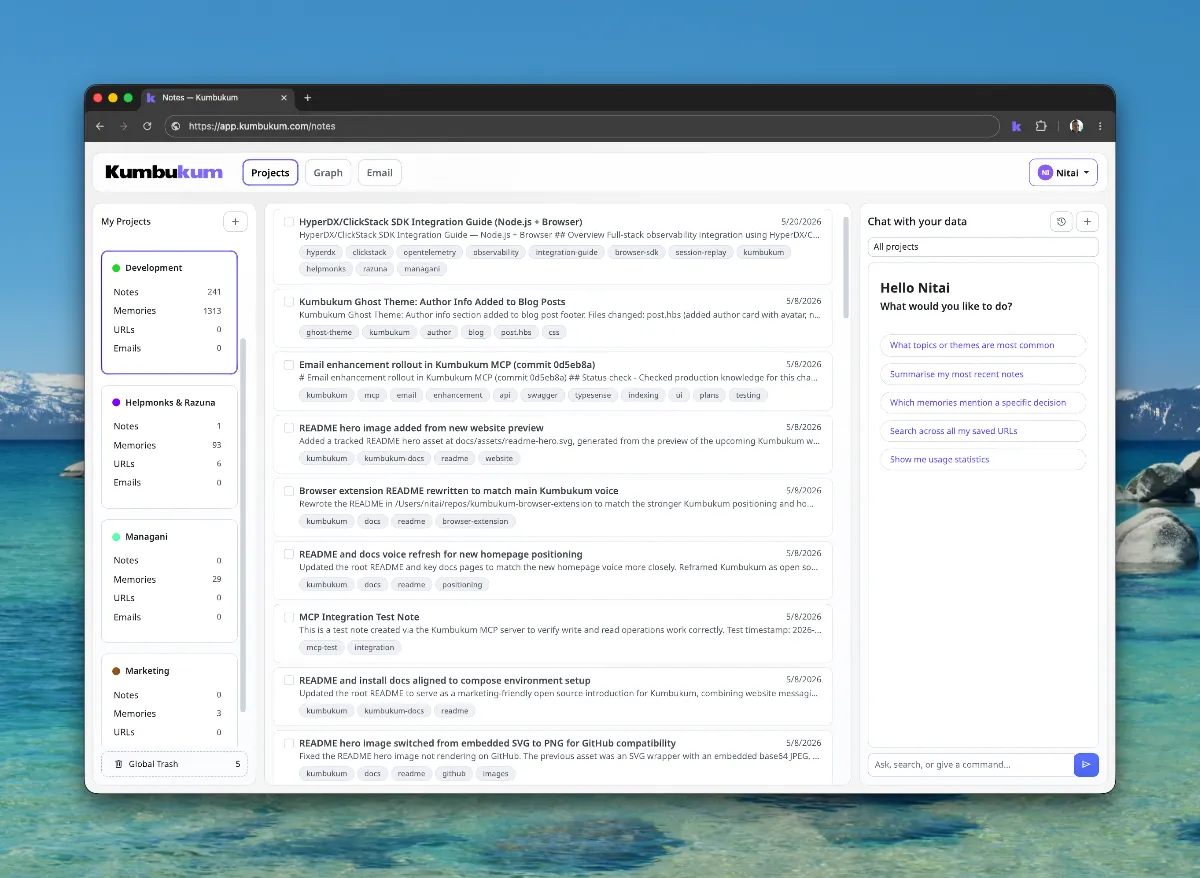
Reusable context, not chat history.
Preferences, decisions, key facts — the things your AI should know before the first message. Captured automatically while you work, or written by hand. Every AI session starts smart.
How memories work →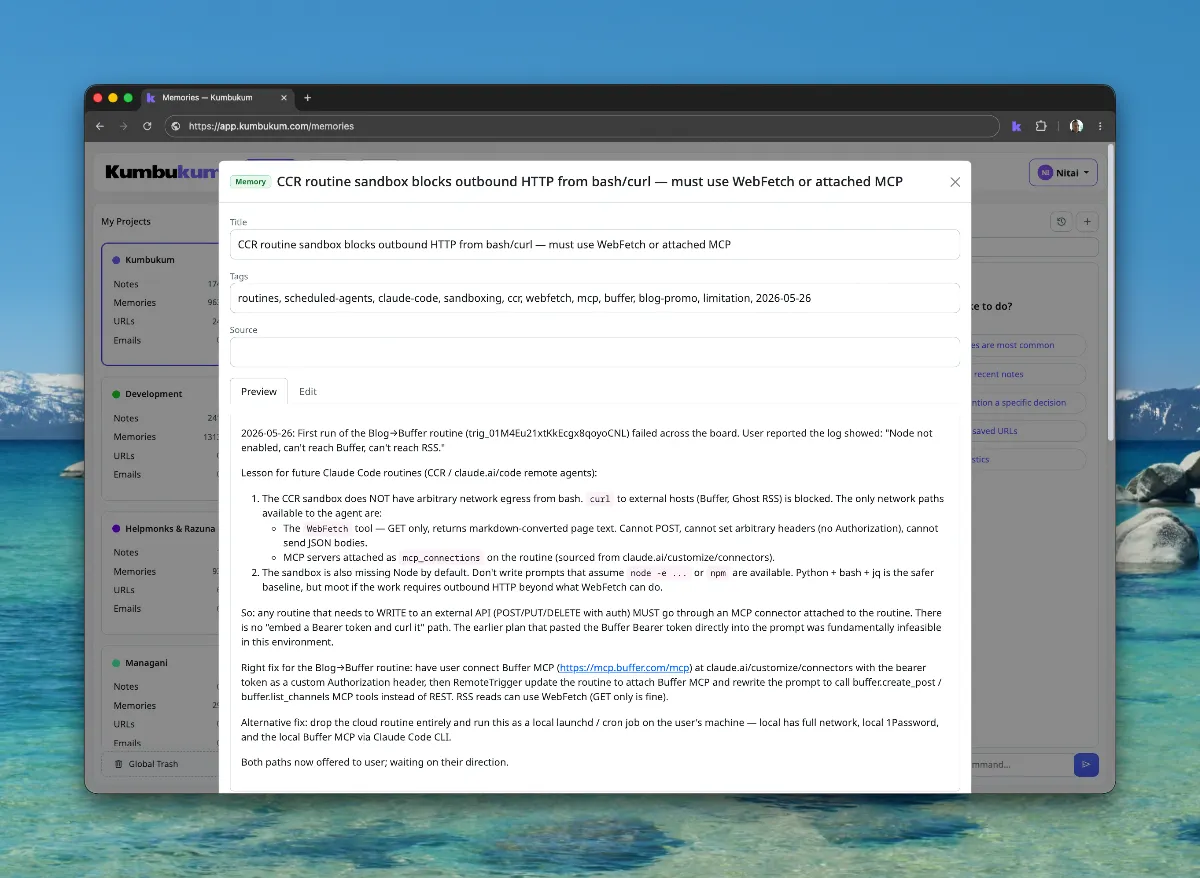
Links your AI can actually use.
Save URLs from anywhere — with their content, their relationships, and your notes attached. No more bookmark graveyards. Source material stays alive.
See URL capture →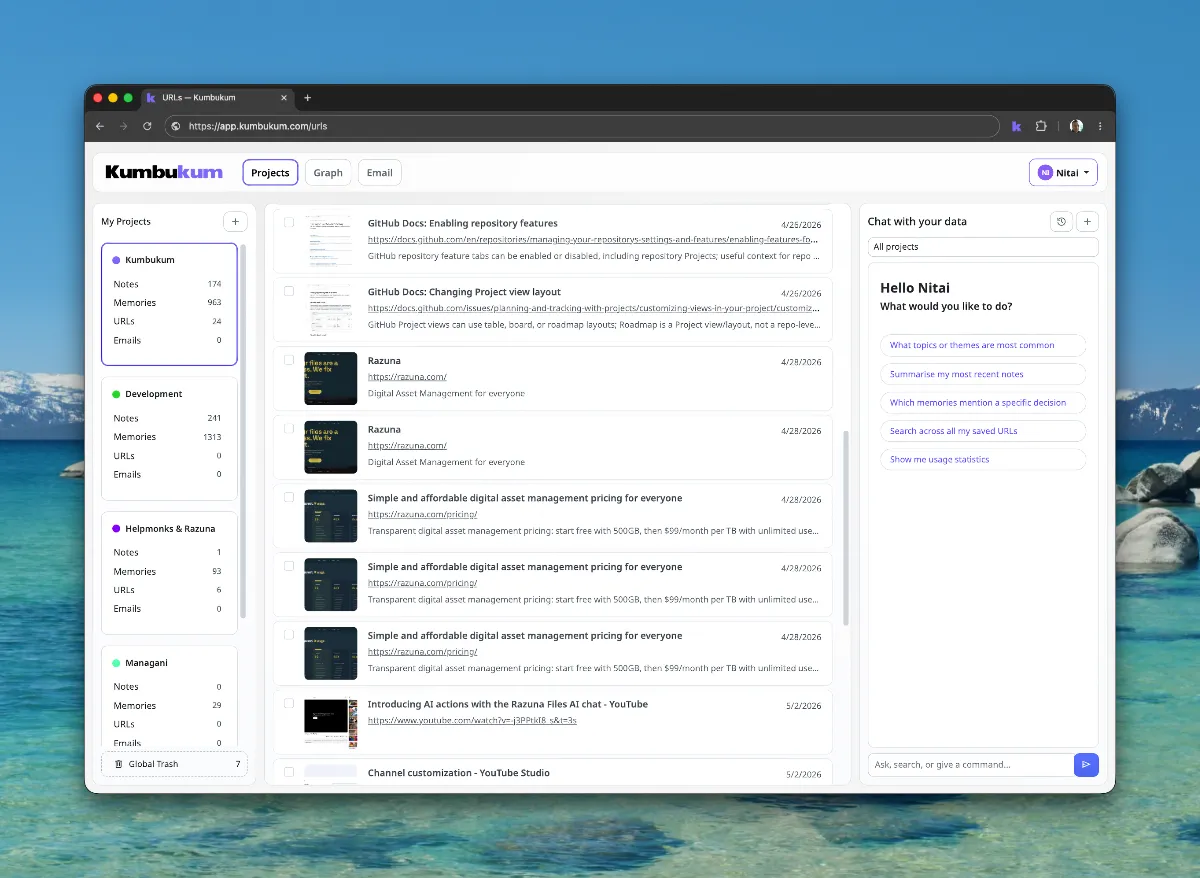
An inbox that knows your business.
Connect your inbox and Kumbukum reads every new email against your shared library. AI triages, drafts replies that sound like your team, and routes threads — using everything your team already captured.
See Email Command Center →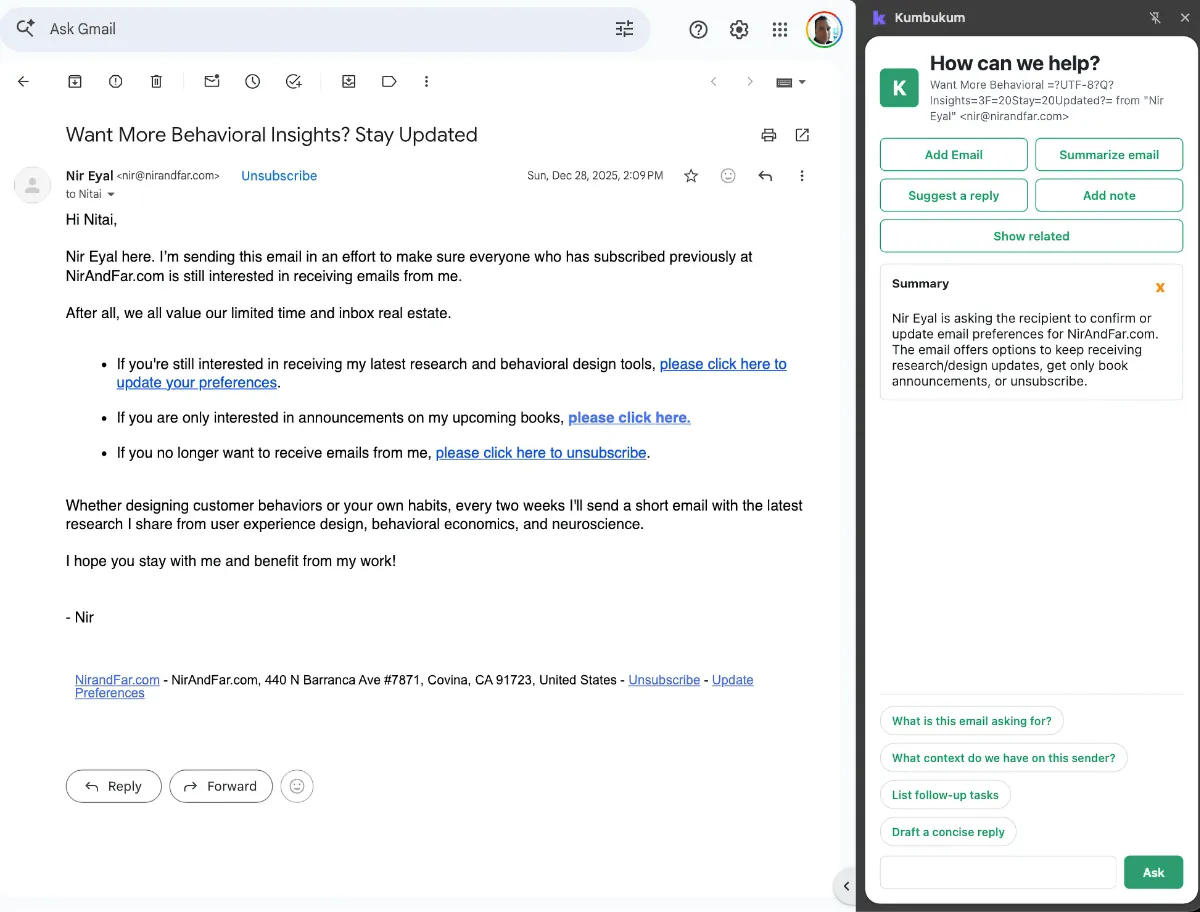
See how knowledge connects.
Every note, memory, link, and email becomes part of a living graph. Inspect why an answer came back the way it did. Walk the connections. Edit anything you don't like.
See the graph →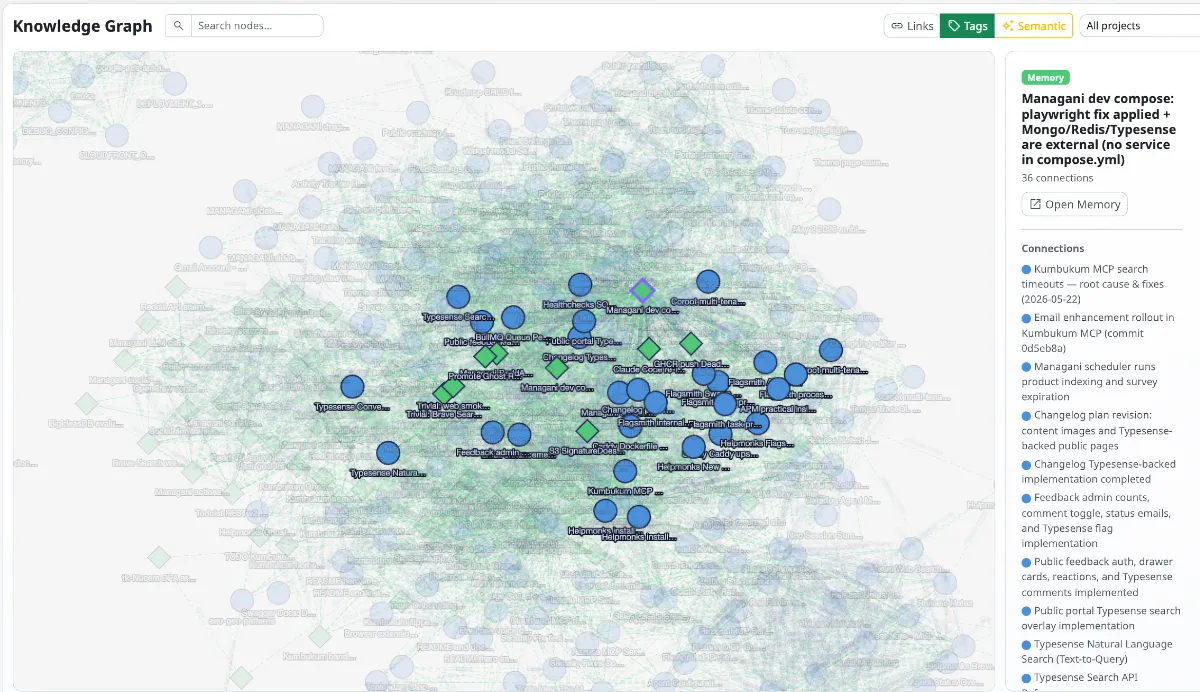
Capture while you work.
Save URLs and notes from any tab in seconds. No copy-paste chaos, no context loss. Your library grows as you browse — not after you remember.
See the extension →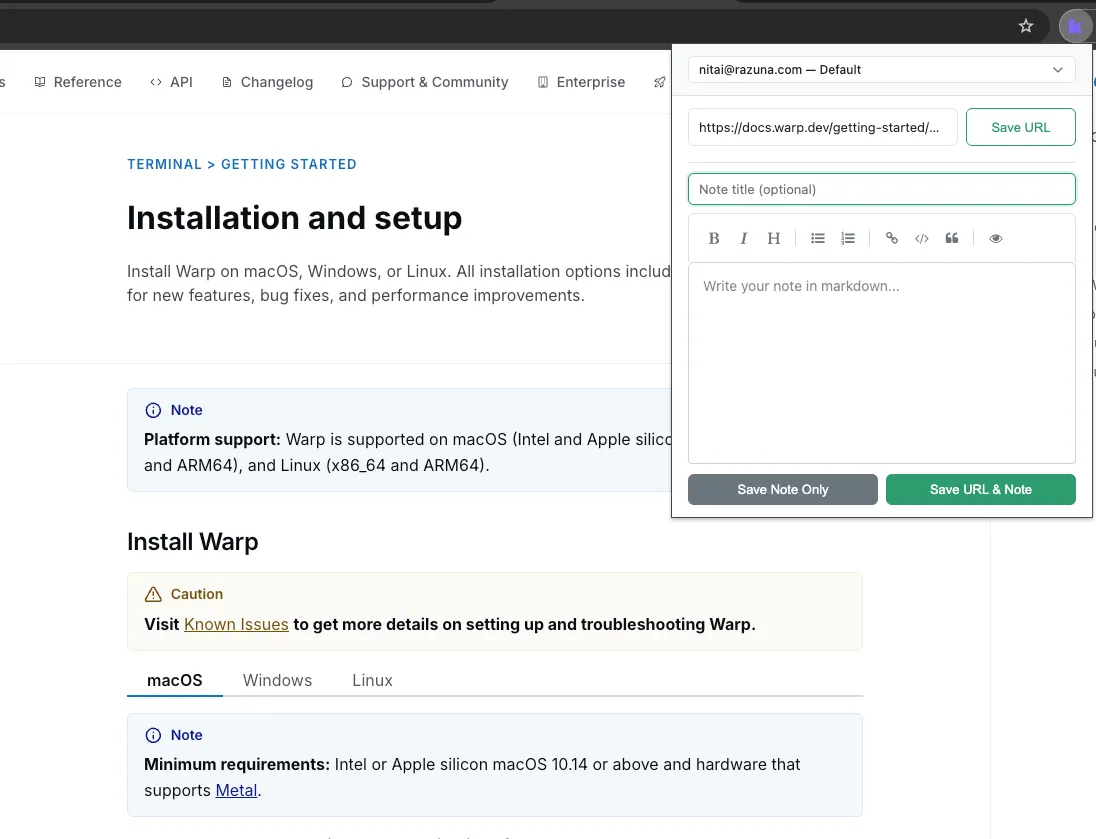
One library. Every AI you use.
The more you use it, the smarter it gets.
Drop in a customer's history today. Tomorrow's reply to them is grounded in it. Capture a decision in a meeting. The next week, your AI quotes it back when it matters. Connect an inbox. Triage gets sharper as the library learns your team's actual patterns.
This is what AI memory was supposed to feel like.
Why this matters →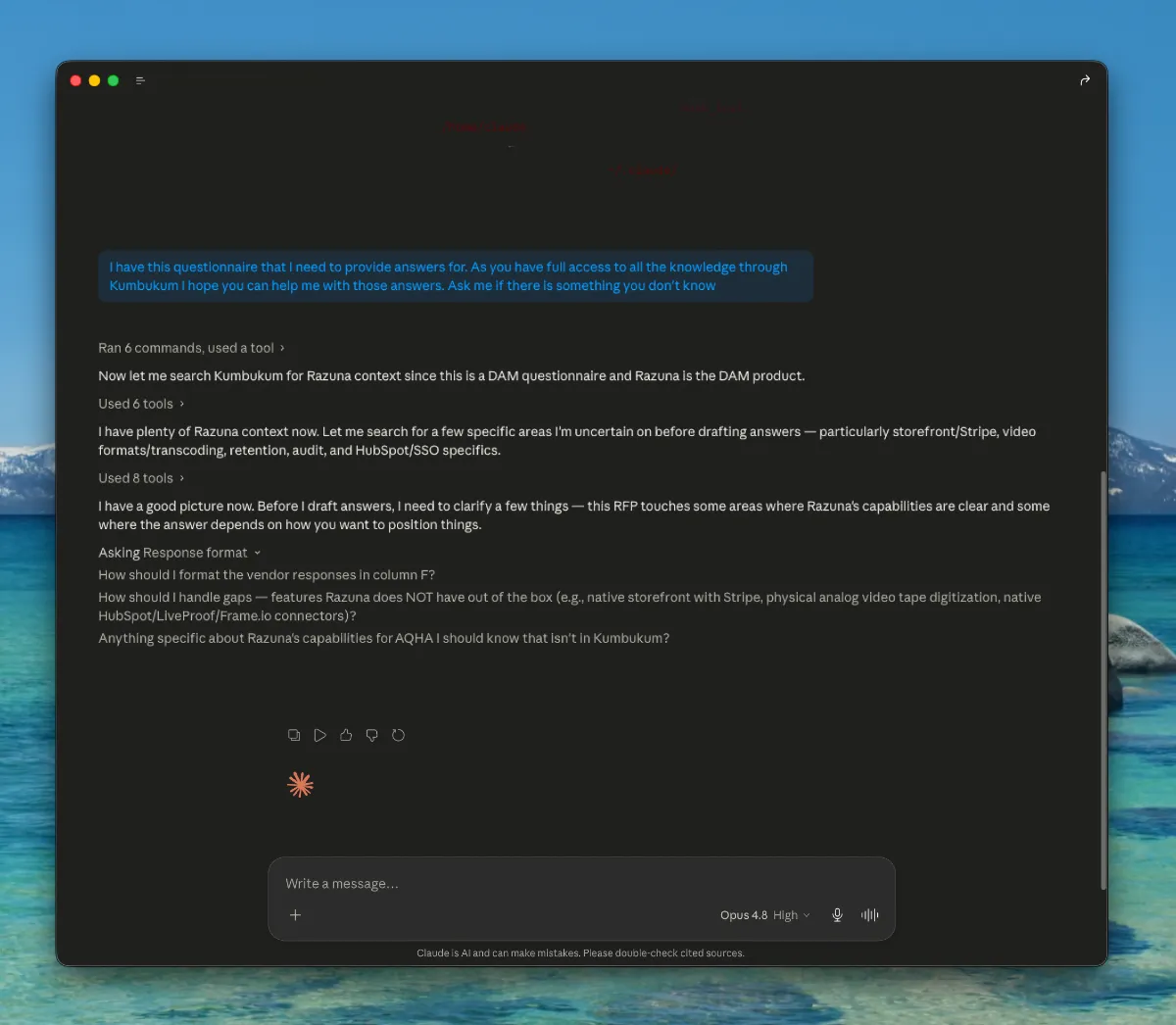
Open infrastructure your team can verify.
Ready to remember everything?
One shared library every AI you use can read from — and write to. Notes, memories, links, emails, Git. Open source. 7-day free trial.