SHARED KNOWLEDGE LAYER FOR TEAMS

One shared library for your team and your AI.

Notes, memories, links, emails, and Git in one open layer. Every AI tool can read it, write to it, and — with the Email Command Center — act on it. 60-second setup. Up to 86% smaller retrieval payloads.

TLDR:

What does Kumbukum include?

Kumbukum is a shared AI memory product with a web app, browser extension, API, Git sync, Email Command Center, semantic search, graph links, and a 44-tool MCP server. It stores team knowledge as typed objects instead of hiding it in chat history: notes for structured docs, memories for durable facts, URLs for source material, emails for inbox context, projects for scope, and graph links for relationships. The practical result is reusable context that follows work across Claude, Cursor, ChatGPT, Codex, Windsurf, Zed, and any MCP client.

How it works.

Kumbukum gives your team a shared memory system so work compounds instead of restarting. Persistent context across all your AI tools.
1

Capture knowledge

Sign up at kumbukum.com. You'll get an API key and your personal MCP server URL instantly.

2

Connect and organize

Paste your MCP server URL into Claude Desktop, Cursor, or any compatible tool. Takes 60 seconds.

3

Retrieve in any AI session

Store notes, preferences, decisions, and context. Your AI retrieves them automatically — across tools, across sessions.

Kumbukum by the numbers

  • 44 MCP tools total, for capture, retrieval, and management of every object
  • 3 retrieval toolssearch_knowledge, recall_memory, search_notes — tuned for AI tool queries
  • 5 storage primitives — notes, memories, URLs, Git repositories, emails
  • ~86% smaller retrieval payloads vs. unslimmed baseline (14,272 → 1,964 tokens combined)
  • +21ms latency overhead total across the three calls (300ms → 321ms)
  • 60 seconds to connect to Claude Desktop, Cursor, or any MCP-compatible tool
  • Starter $29/mo · Pro $99/mo hosted, with a 7-day free trial and 0 per-user fees
  • Open source with bidirectional Git sync
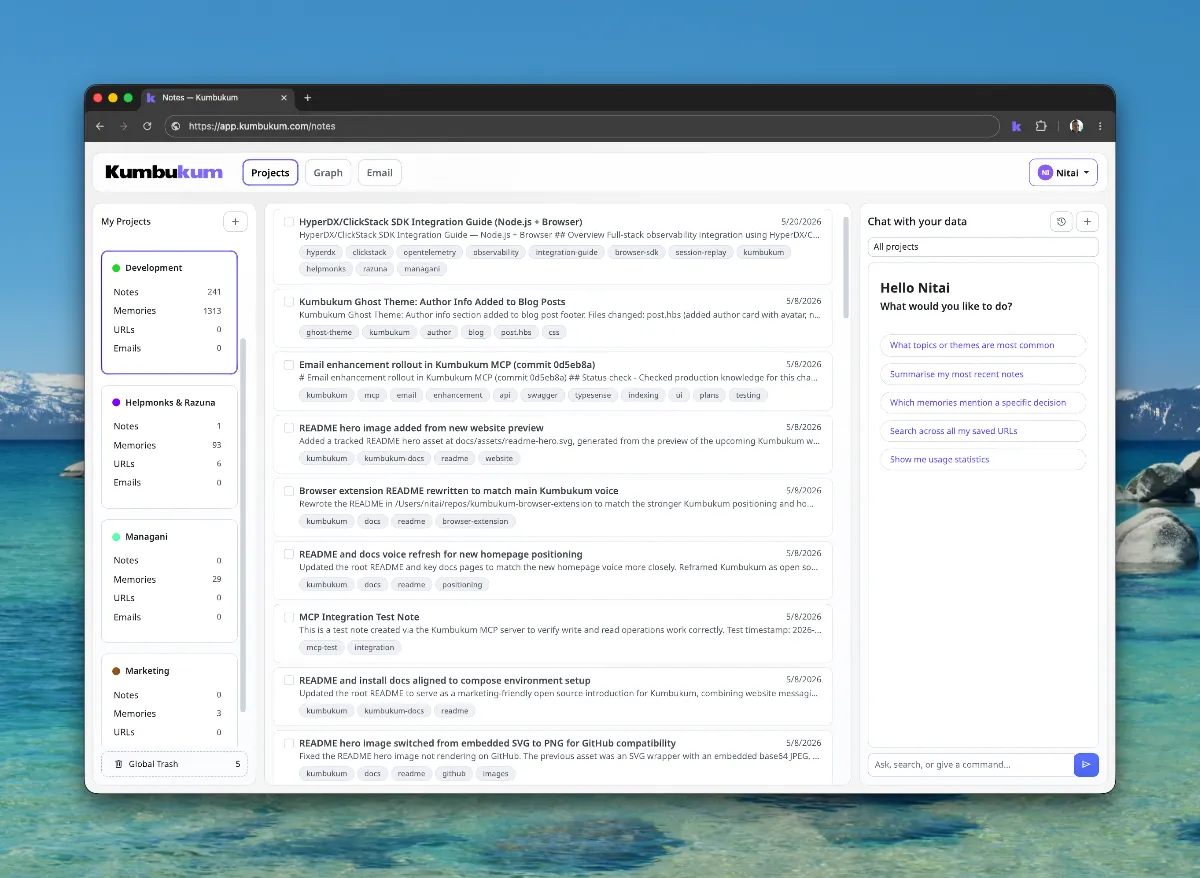
Kumbukum notes screenshot

Notes for structured knowledge

Store meeting notes, specs, and documentation in one searchable place with tags and links.
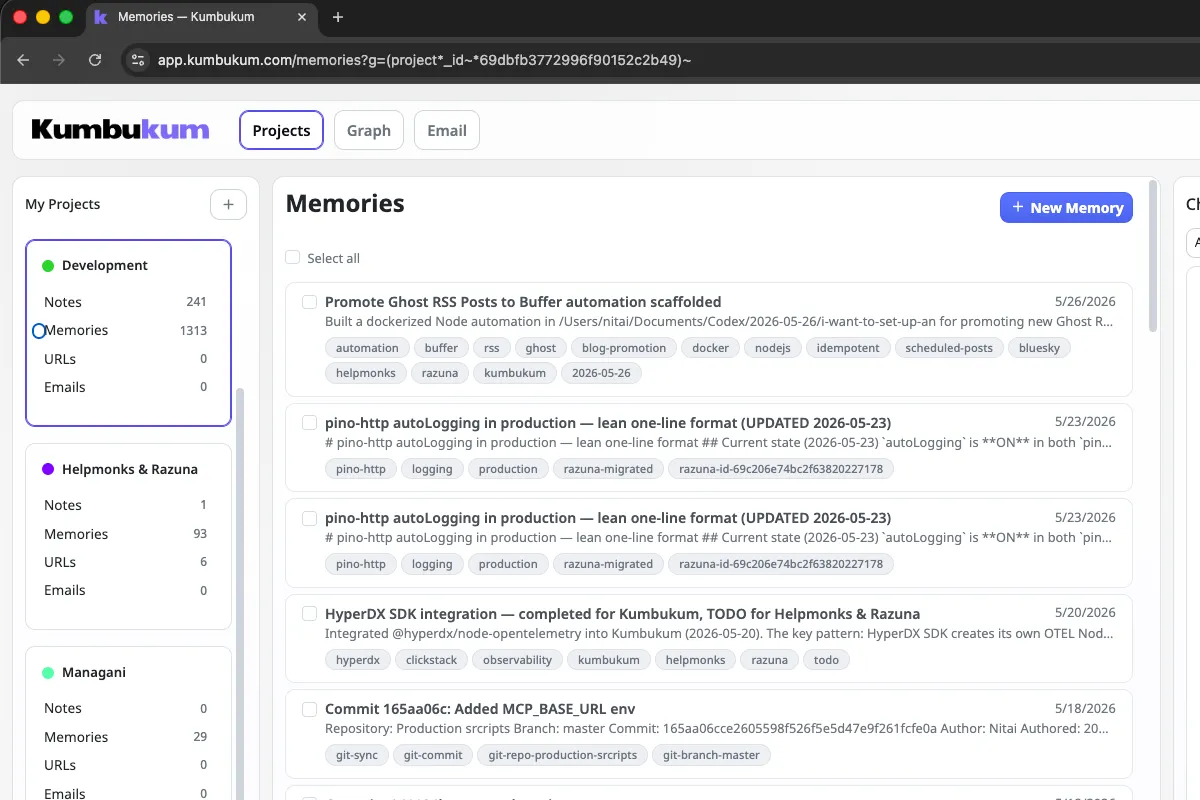
Kumbukum memory screenshot

Memories for reusable context

Keep decisions, preferences, and key facts as reusable context units your AI can apply automatically.
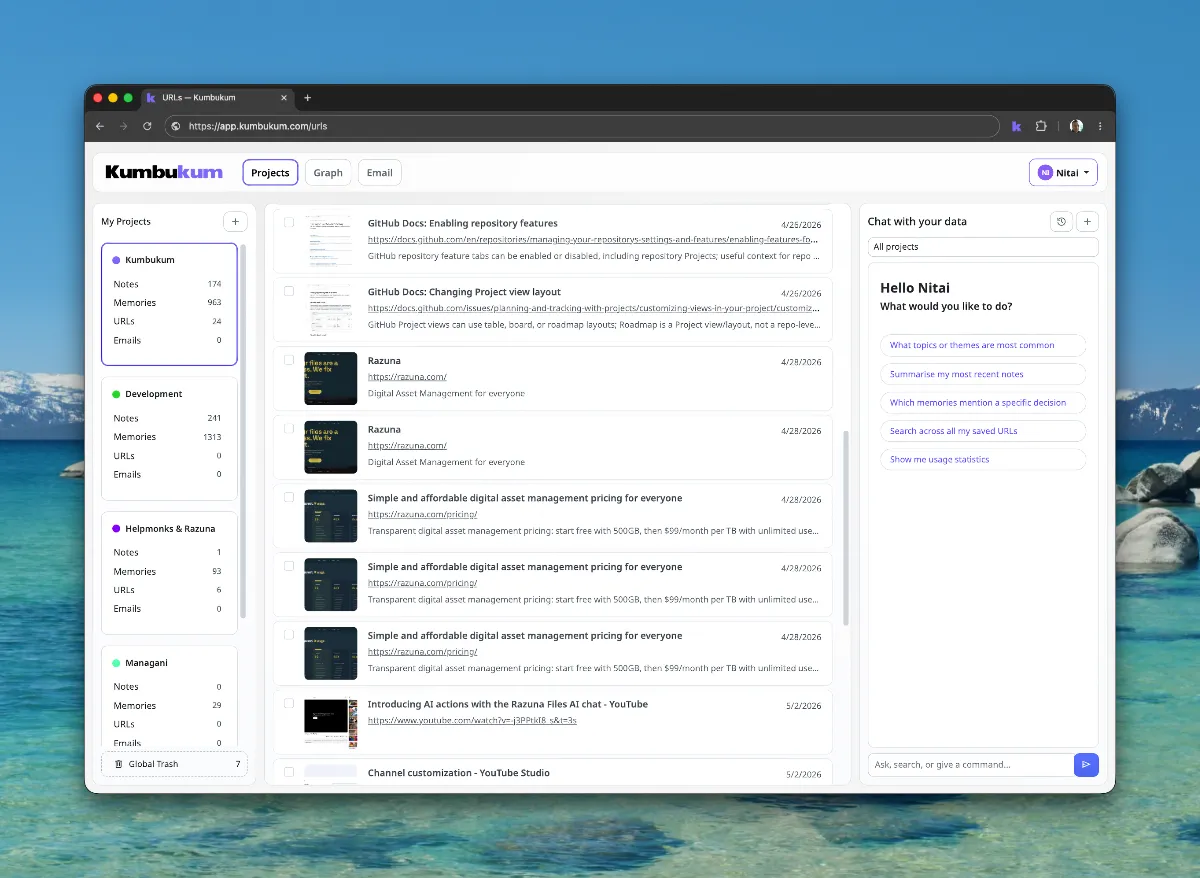
Kumbukum URL entry screenshot

URLs with context, not bookmarks

Save links from anywhere and connect them to notes and memories so source material stays usable.
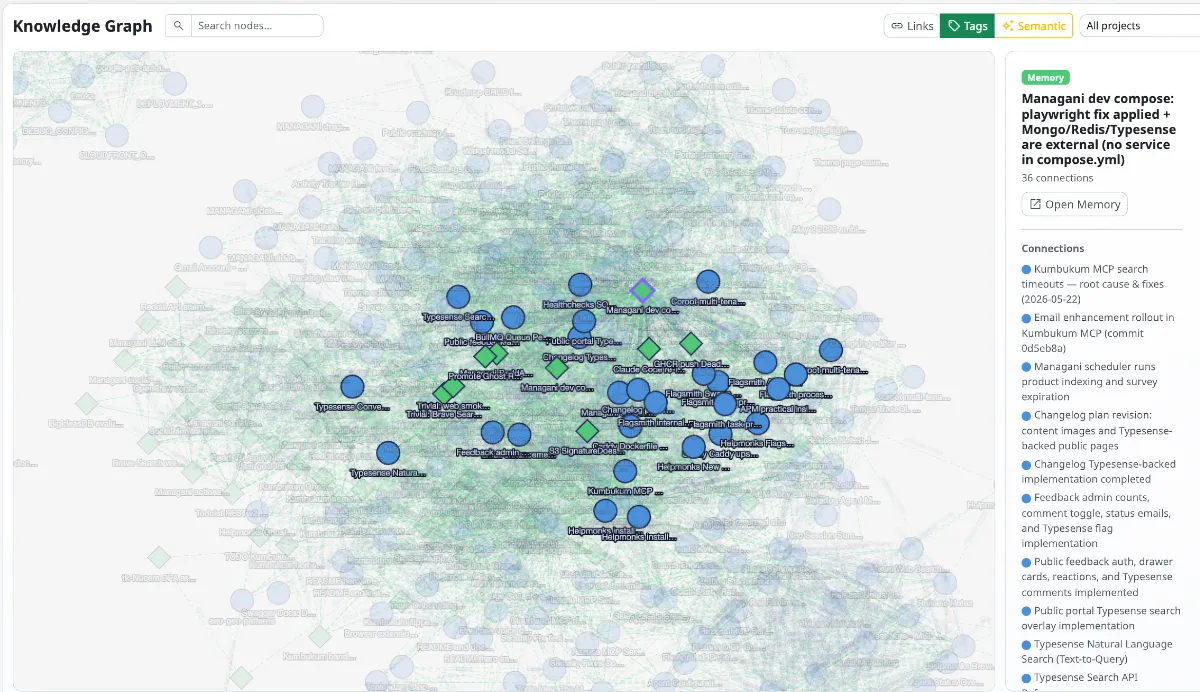
Kumbukum knowledge graph screenshot

See how knowledge connects

Visualize relationships between notes, memories, URLs, and decisions. Inspect why an answer was generated.
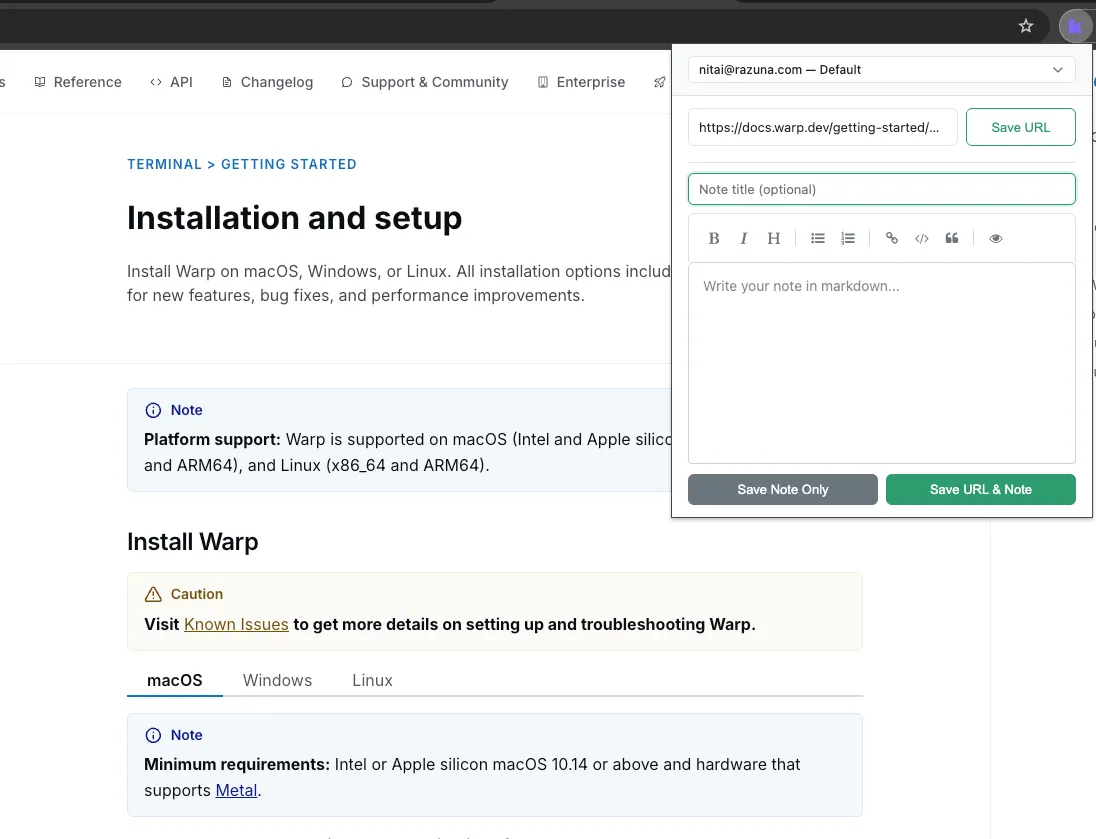
Kumbukum browser extension screenshot

Capture while you work

Save URLs and notes from the browser in seconds. No context loss, no copy-paste chaos.
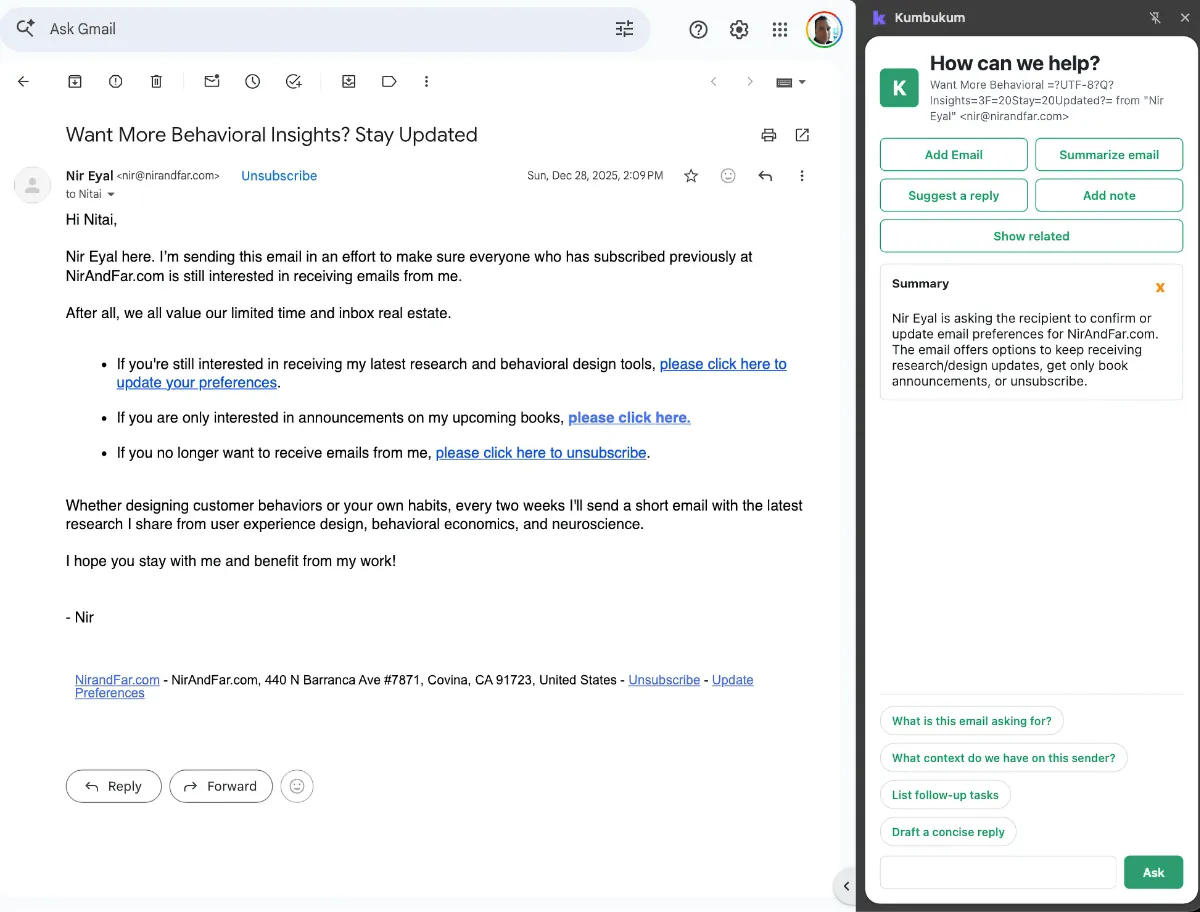
Kumbukum Email Command Center screenshot

An inbox that knows your business

Connect your inbox and let AI triage, draft, and route email using your shared Kumbukum knowledge. The first place AI gets to act on what your team already knows. See how it works →

Nothing is lost

Every action is tracked, every change is visible, and every piece of context is preserved. No matter which AI tool was used or which team member made the change.

Import & Sync

Import your existing data with ease or enable continuous Bidirectional Git Sync to keep everything and everyone up-to-date automatically.

Ready to remember everything?

One shared library every AI you use can read from — and write to. Notes, memories, links, emails, Git. Open source. 7-day free trial.