NEW · Included with Pro
EMAIL COMMAND CENTER

An inbox that knows your business.

Email Command Center connects your inbox to your shared Kumbukum knowledge — and lets AI triage, draft, and route email using everything your team has already captured. It works right inside the inbox you already use — there's nothing new to switch to.

Lives in your inbox • Included with Pro • 7-day free trial • Open source • BYO AI keys
TLDR:

What is the Email Command Center?

Kumbukum Email Command Center is an AI email workflow layer that uses shared team knowledge to triage, draft, route, and search inbox threads. Instead of asking an AI assistant to guess from one message, Kumbukum checks each email against the team's notes, memories, URLs, prior decisions, customer context, and Git or project knowledge. Support, sales, and founder-led teams use it when replies need company context, not generic text. It keeps humans in control while making every draft and routing decision grounded in the same memory library every AI tool can use.
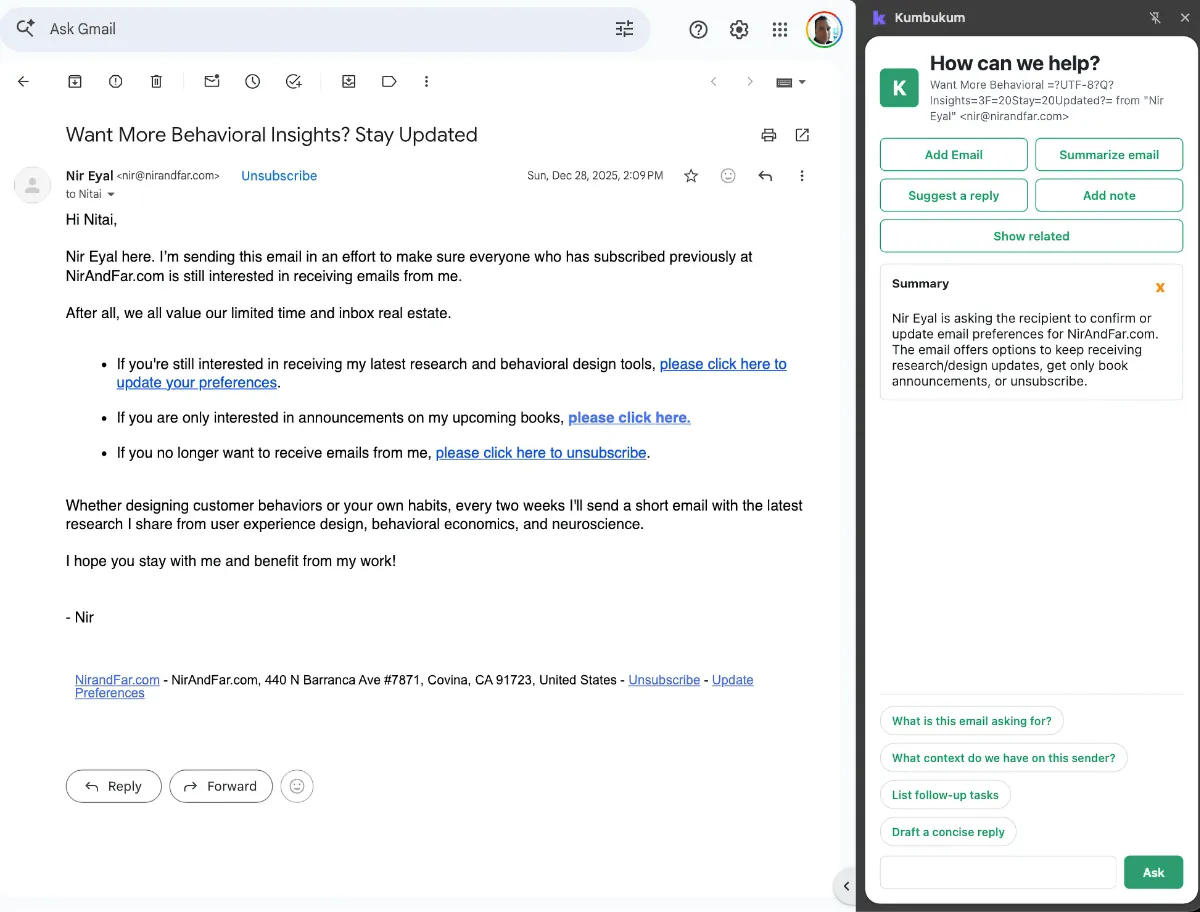
Kumbukum extension sidebar running inside Gmail

It lives in the inbox you already use.

Kumbukum is not an email app, and there's nothing to migrate. The browser extension drops a Kumbukum sidebar straight into Gmail, Outlook, and any webmail — so you summarize, draft, capture, and ask about a thread without ever opening a separate app.
Three ways into the same shared library, none of them requiring the Kumbukum UI:
  • The extension — on demand, right where you read your mail.
  • Connected-inbox triage — autonomous in the background; you review and approve from your own inbox.
  • MCP server & API — the same triage, drafting, summarizing, and mail search from Claude, Cursor, ChatGPT, or your own scripts.
Gmail
Outlook
Yahoo
Proton
Fastmail
iCloud
Any webmail
Kumbukum lives here
in the inbox you already use
Works everywhere
Extension MCP API
One library, reached three ways — the in-inbox extension, the MCP server, and the API. See the extension →

An engine that works your inbox — so your team doesn't have to.

While you sleep or step away, Email Command Center reads every new message against your team's shared knowledge and goes to work — triaging, drafting, routing, and chasing follow-ups. It runs alongside your team, like a teammate who never sleeps, never forgets a decision, and never acts outside the guardrails you set. Whatever it does lands right in your own inbox — open the control room only when you want to watch or steer it.
Triage
labels & sorts overnight
Draft
in your team's voice
Route
to the right person
Follow-ups
nothing slips
Summarize
threads at a glance
Knowledge
grounded in your library

What Monday morning looks like.

Here's that engine on a typical Monday — seen from the control room. Everything it does also lands right in your own inbox, so you only open this when you want the full picture.
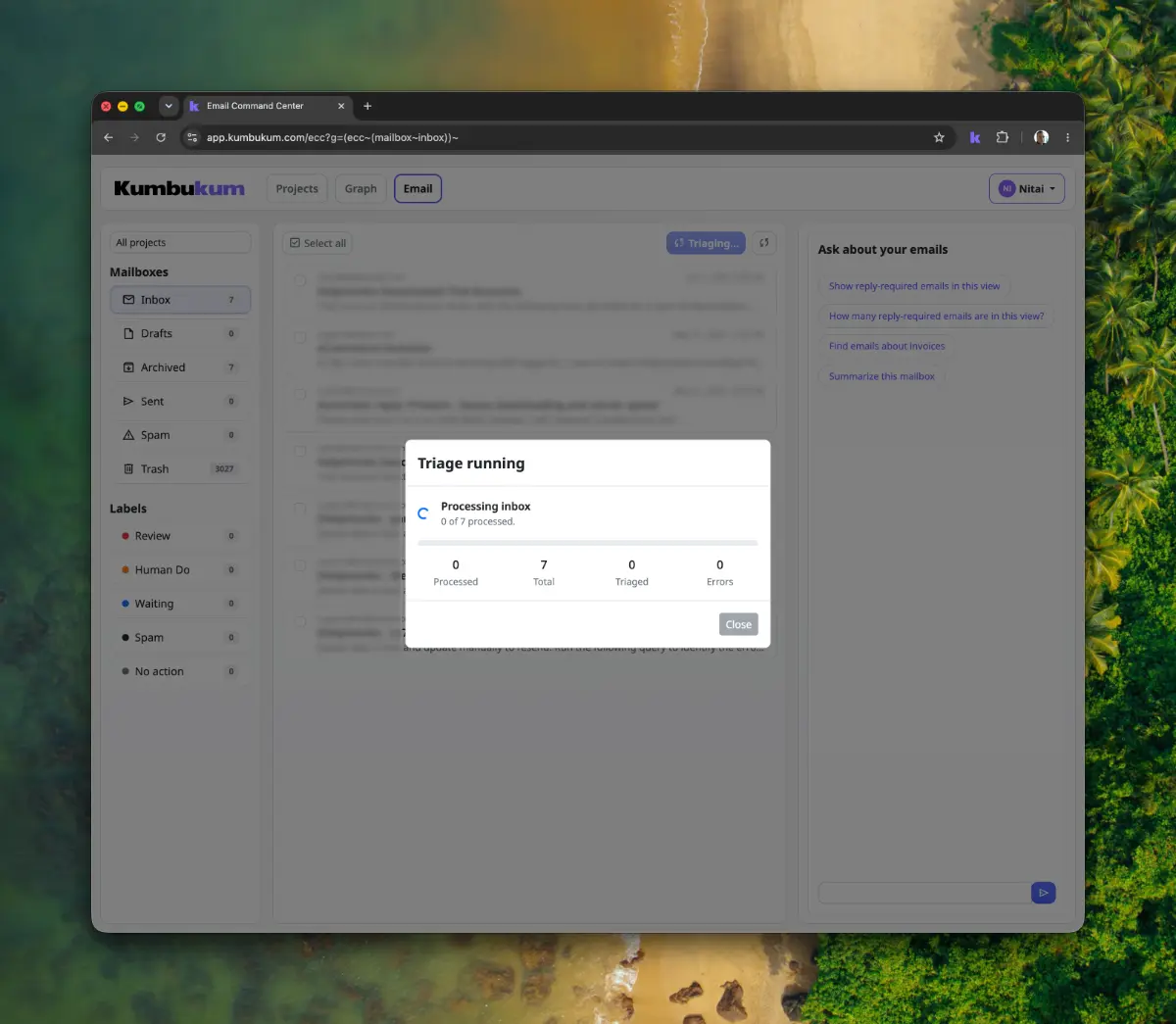
Email Command Center triage view

Sorted before you sit down.

Overnight email is labeled Review, Human-Do, Waiting, or Done — based on rules your team writes in plain English. Your priority queue is already there.
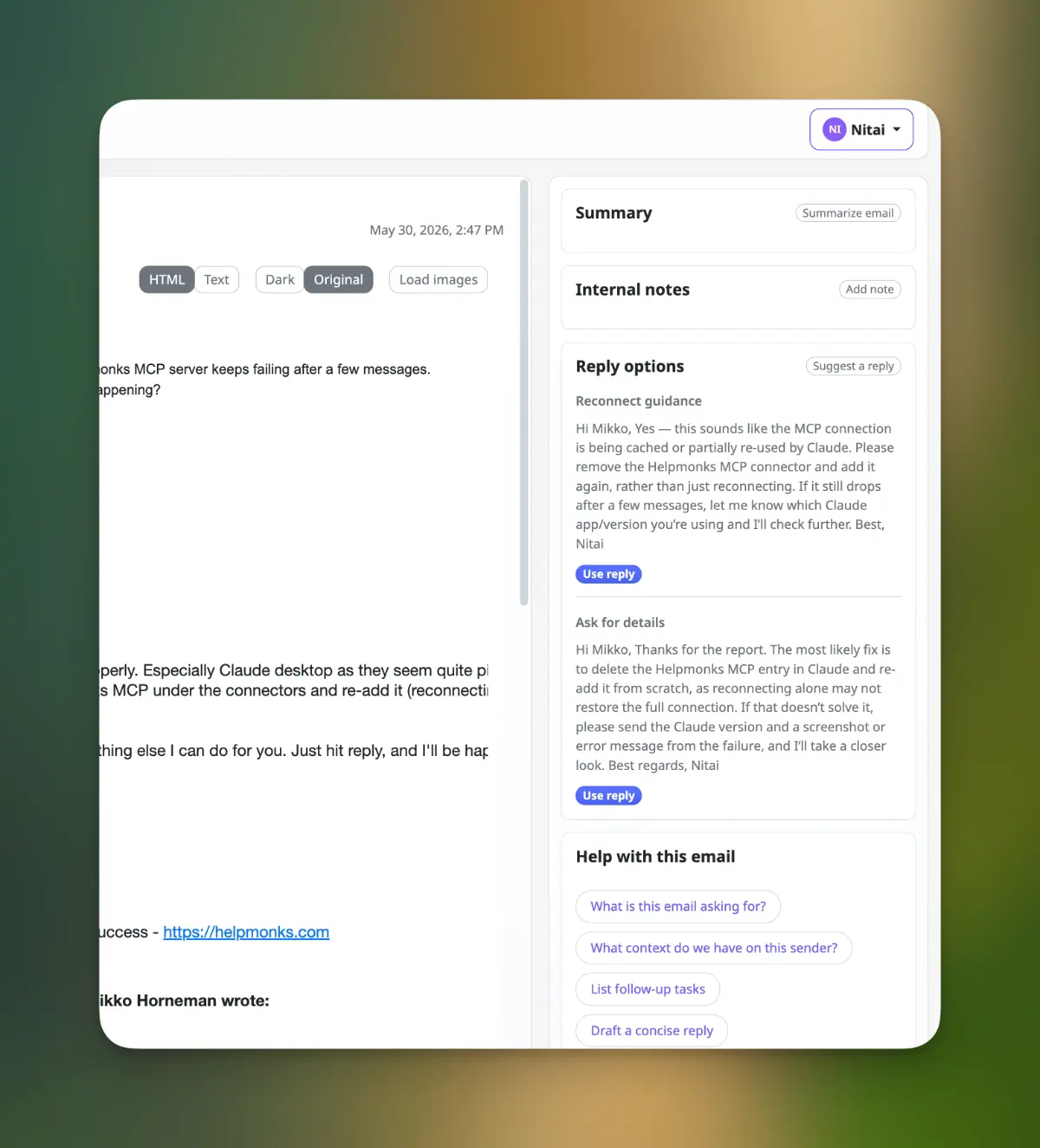
Email Command Center drafted reply

Replies that sound like your team.

Drafts pull from your shared library — the policy you wrote last quarter, yesterday's decision, the customer's history. Edit and send, or let it send on the labels you trust.

Answer questions about your service lightning fast
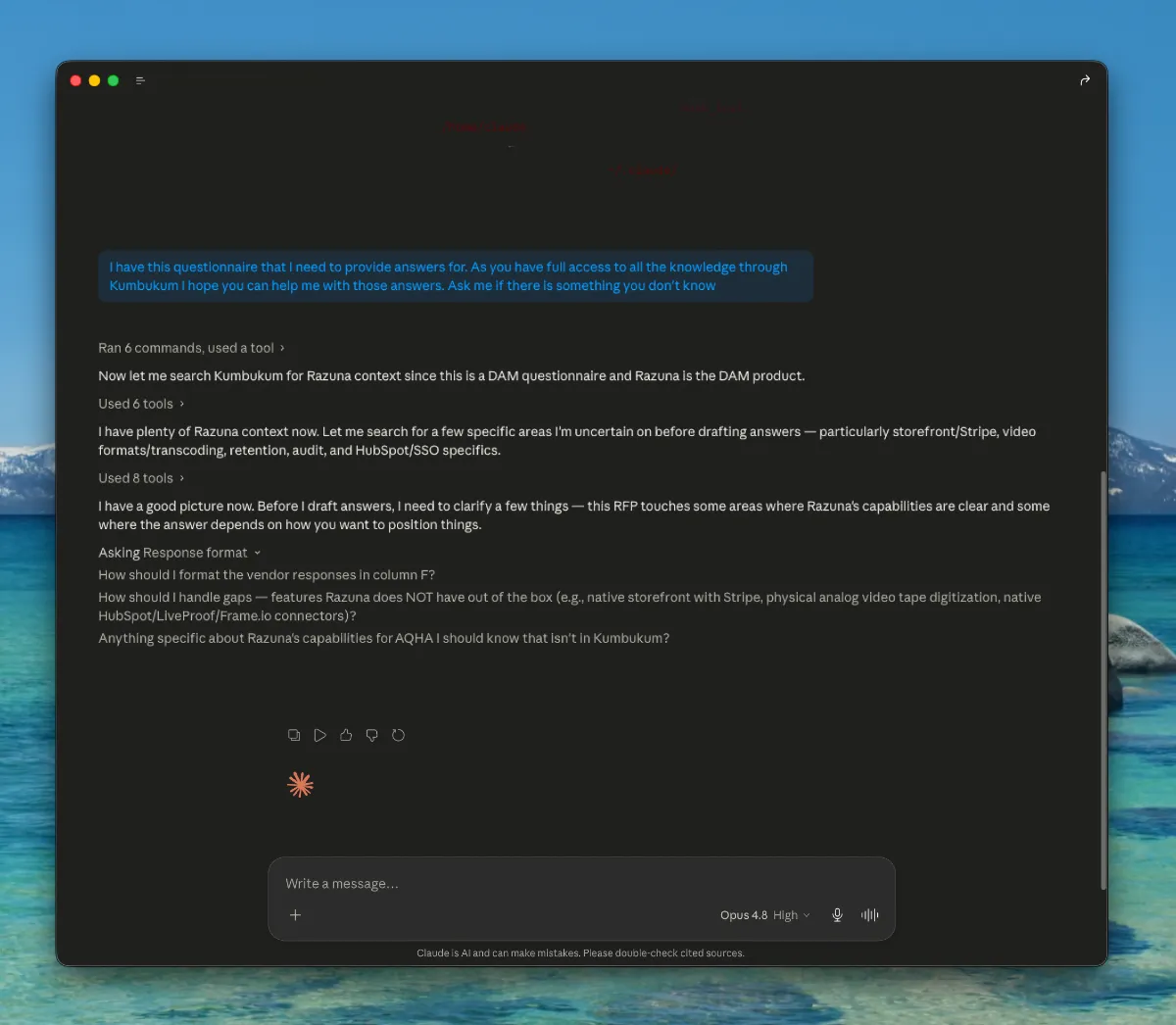
In this real-life example, we asked Claude to help answer questions from an RFP spreadsheet, a common occurrence in our workflow. Claude used our instructions to understand the sheet and answered all 87 questions accurately within 4 minutes and 32 seconds, something we could not do manually in under an hour.
Claude use case for writing prompt proposals

Common questions.

What does the Email Command Center actually do?

It connects your inbox to your shared Kumbukum knowledge and uses AI to triage incoming mail, draft replies, and route messages based on the context your team has already captured — notes, decisions, customer history, and prior emails.

Do I have to switch email apps or use a separate Kumbukum app?

No. Kumbukum is not an email app and there's nothing to migrate. The browser extension adds a Kumbukum sidebar to the inbox you already use — Gmail, Outlook, or any webmail. Connected-inbox triage runs in the background and you approve from your own inbox, and the same email capabilities are also available over the MCP server and the API. You never have to open a separate app.

Can I use the email features from Claude, Cursor, or my own scripts?

Yes. The Kumbukum MCP server exposes triage, drafting, summarizing, and mail search to any MCP client — Claude, Cursor, ChatGPT, and more — and the REST API covers automation. It's the same shared library the extension and connected-inbox triage use.

Which email providers does it work with?

The browser extension works in essentially any webmail, including Gmail, Outlook, Yahoo, Proton, Fastmail, and iCloud. For connected-inbox triage, standard IMAP-compatible inboxes including Gmail, Microsoft 365, and Helpmonks are supported — and forwarding rules let you funnel any address into the Command Center.

Can I self-host the Email Command Center?

Yes. Kumbukum is open source — the Email Command Center is part of the open-source distribution and self-hosts the same way the rest of the platform does. See GitHub.

Can I use my own AI keys?

Yes. Pro plans include BYO AI Keys. The Command Center can run against your own Anthropic, OpenAI, Google Gemini, or compatible provider keys, with usage entirely on your account.

Will it change my inbox without asking?

No. By default it triages, labels, and drafts — it does not send. You decide which actions become autonomous, per label, per project, or per address.

Is the Email Command Center included in pricing?

Yes. It's included with the Pro plan at $99/month with a 7-day free trial.

Ready to remember everything?

One shared library every AI you use can read from — and write to. Notes, memories, links, emails, Git. Open source. 7-day free trial.